We use cookies to improve your experience. By using this site you agree to our Privacy Policy.
Lùmen — Laser Engraver Software for Mac
Native macOS GRBL Controller for Sculpfun, Ortur, Atomstack & More
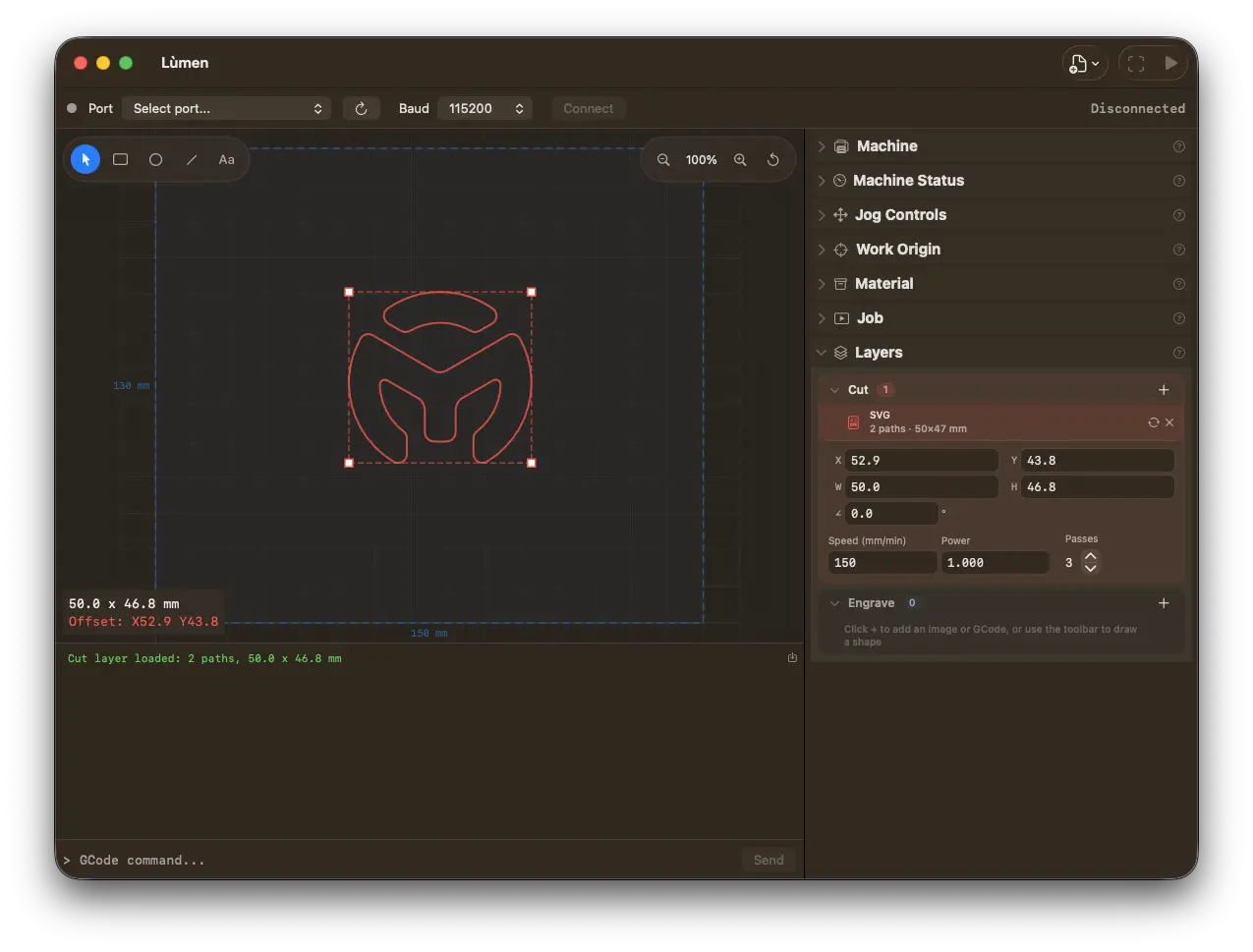
A native, fast, and precise tool to control your GRBL-based laser engraver over USB or WiFi. Engrave images, cut SVG vectors, and draw shapes and multi-line text directly on the canvas — no Inkscape or Illustrator needed.
No credit card required. Requires macOS 15.6 Sequoia or later.
Loved by makers
What people building with Lùmen say
Wonderful software. Awesome job! I was looking for something on macOS to pair with my hobby laser engraver, and Lùmen has been exactly what I needed. Other options felt either too expensive or too cumbersome to work with, but this just works, and it works beautifully. It connects flawlessly over my network and makes it incredibly simple to get started. I'm really looking forward to trying more of the new AI integration features, including the MCP integration, which connected to OpenAI Codex without any headache. I'm also excited that it feels truly native to Mac. It's clearly in active development, feels premium, and does not come across like an older product being limped along with a subscription. Bravo, Dimitri!
Richard HughesHobby laser engraver · WiFi
I was searching for good Mac-based software to operate my new Artilume T1 laser and came across Lùmen. Dimitri was extremely responsive in addressing the issues any new software faces. I highly recommend Lùmen.
Professional tools in a clean, native macOS interface
Claude & AI Integration New in 2.1
Lùmen speaks MCP (Model Context Protocol). Switch on AI control and ask Claude — or any MCP client — to build your design in plain language: “add a 60 mm circle with the text 2026 centered.” Shapes, text, and material presets appear right on the canvas, and the assistant can even screenshot the work area to see what it made. For safety, the AI only designs — it never moves the head, homes, or fires the laser. You stay in control of the machine.
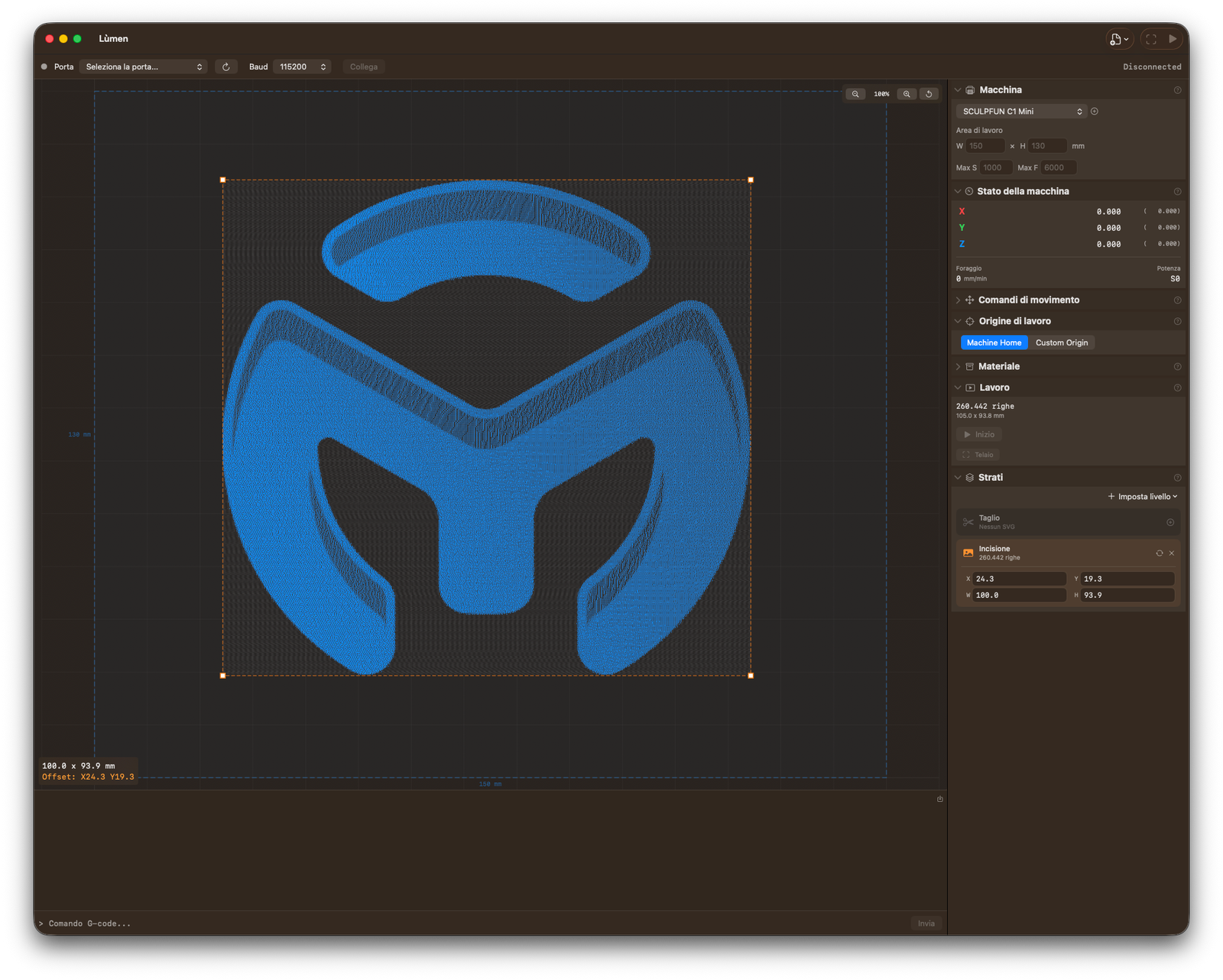
Import PNG, JPEG, BMP, or TIFF images and convert to GCode with three modes: 7 dithering algorithms, grayscale mapping, or threshold. Adjust brightness, contrast, and resolution with real-time preview.
Built-in Shape & Text Editor
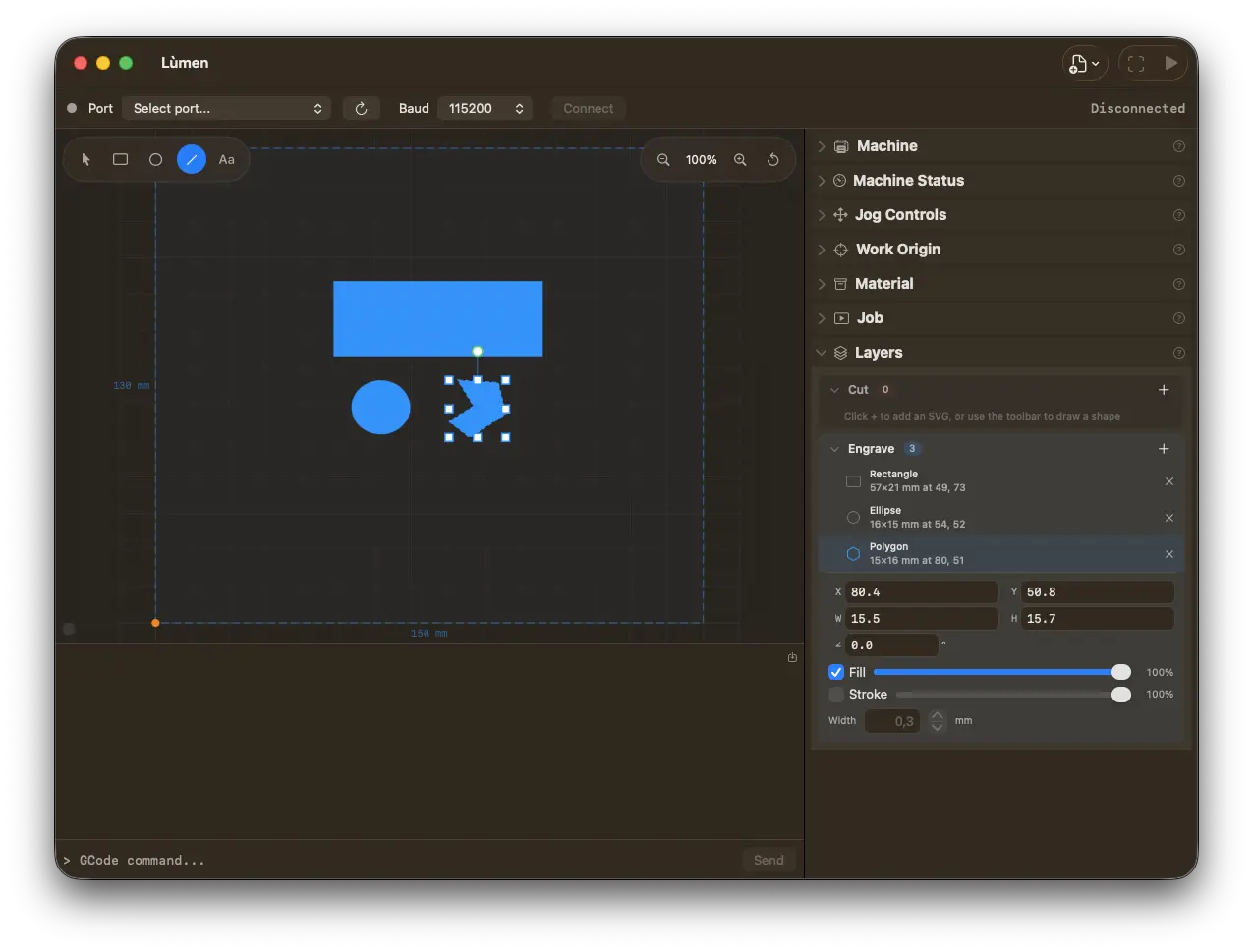
Lùmen isn't just a sender. Draw rectangles, ellipses, lines, polylines, and multi-line text right on the canvas — no Inkscape or Illustrator for simple jobs. Pick any font installed on your Mac with full width and style variants, and combine anchor-locked resize, free rotation, and per-item Fill/Stroke intensity that maps directly to laser power.
WiFi Connection New in 2.0
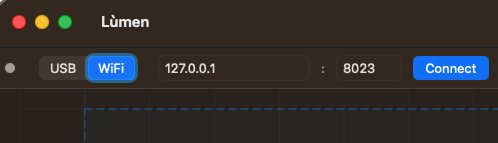
Cut the cable. Lùmen now connects to network-capable GRBL engravers over WiFi — pick WiFi, type the machine's IP and port, and hit Connect. It's the exact same GRBL command stream as USB, so every feature works identically. Ideal for ESP32-based controllers like the Algolaser Pixie.
Simple & Advanced Modes New in 2.0
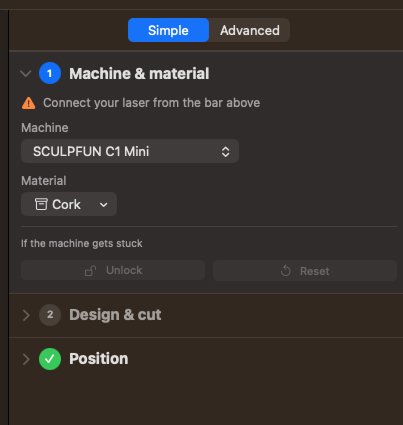
Two ways to work, one engine. The new Simple sidebar is a guided five-step flow — machine & material, design, position, frame, engrave — that walks you from connect to engrave without hunting through panels. Flip to Advanced any time for the full cockpit.
Rotary Attachment New in 3.0
Engrave tumblers, bottles, pens and rolling pins. Give Lùmen the two numbers your rotary's manual quotes — mm per rotation and roller diameter — and it works the Y scale out against your machine's own flat calibration, read off the controller when you connect. Rollers or chuck: with a chuck the scale follows the workpiece, so it's recomputed for every object. Your flat setup is saved before anything is overwritten, so the bed is one click away — and Lùmen never homes with a rotary fitted.
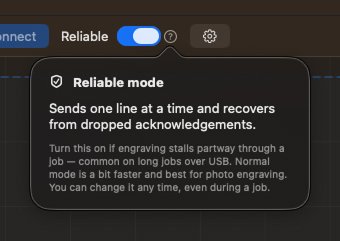
Long jobs stalling partway through? Turn on Reliable mode: Lùmen sends one line at a time and safely recovers from a dropped acknowledgement, so the job runs to the end. Switch any time, even mid-job.
Air Assist New in 2.6
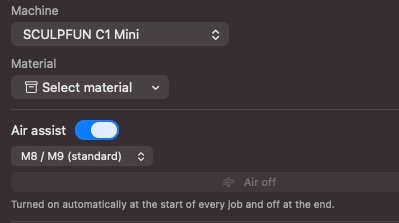
Lùmen switches your air pump with the job — on before the first move, off at the end. Off by default, so machines without a pump keep the exact G-code they always got.
SVG Vector Cutting
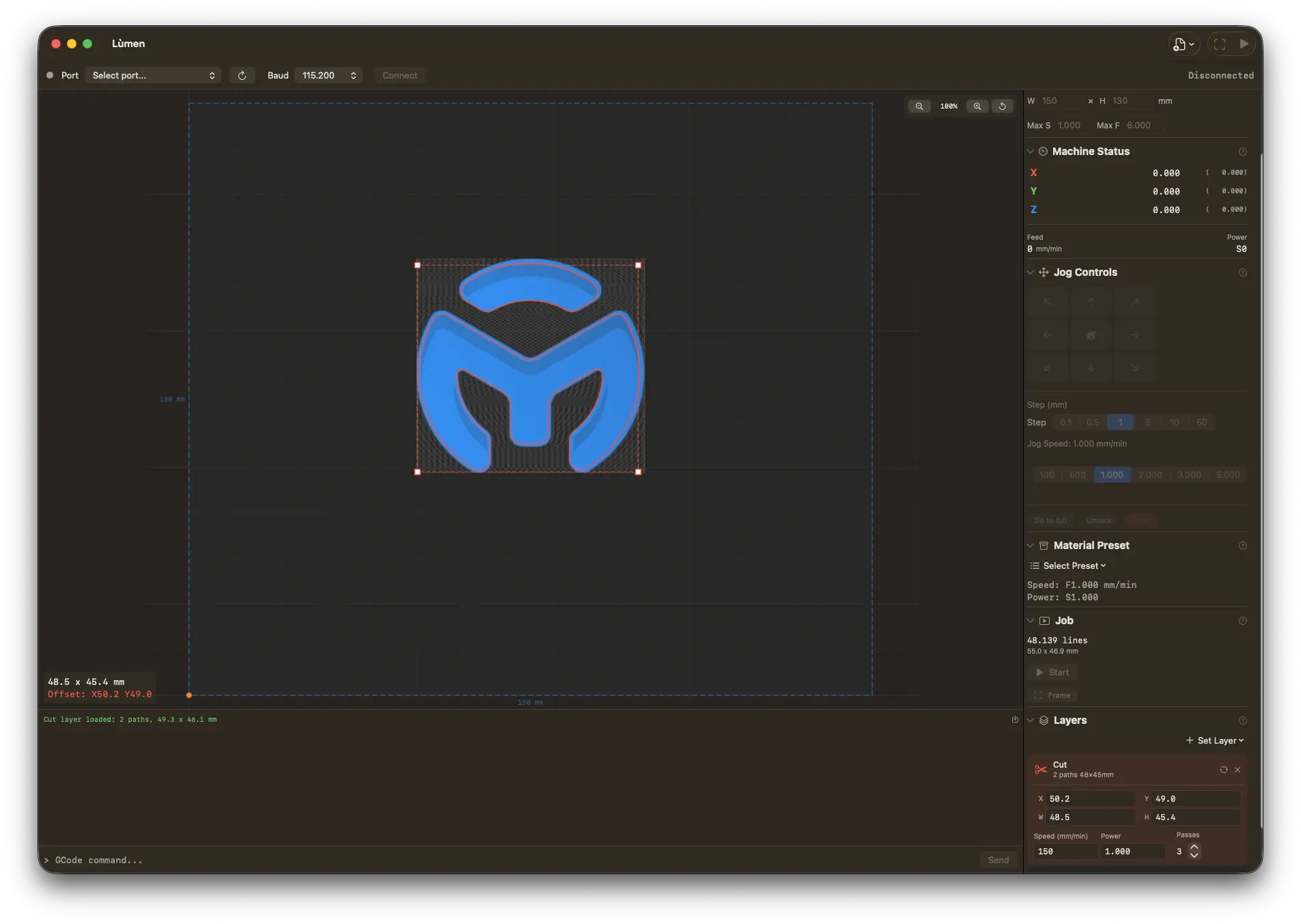
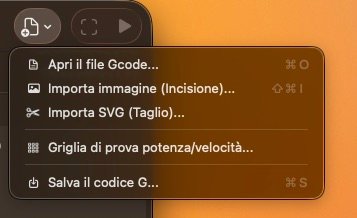
Load SVG files for precise vector cutting. Supports paths, rectangles, circles, ellipses, arcs, and bezier curves with configurable speed, power, and passes.
Multi-item Layer Panel
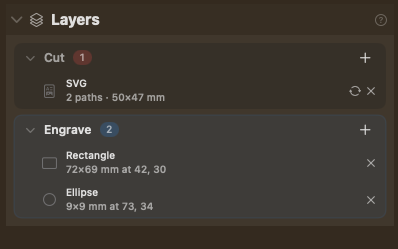
Photoshop / Figma-style two-level tree: each layer expands to show every shape, text, image, and SVG it contains. Click to select, edit inline, drop new shapes from the contextual + menu.
Precise Positioning & Rotation
Move and resize layers with drag & drop or type exact X, Y, W, H, and angle in millimeters and degrees. Even the engrave image rotates — and the rotation is baked straight into the G-code, not just a visual effect.
7 Dithering Algorithms
Floyd-Steinberg, Atkinson, Burkes, Jarvis-Judice-Ninke, Sierra, Sierra Lite, and Stucki. Pick the best one for your material and style.
Safety First
5-second countdown before every job. Auto-homing, soft jog limits, overscan clamping, and automatic laser-off at job completion.
Power/Speed Test Grid
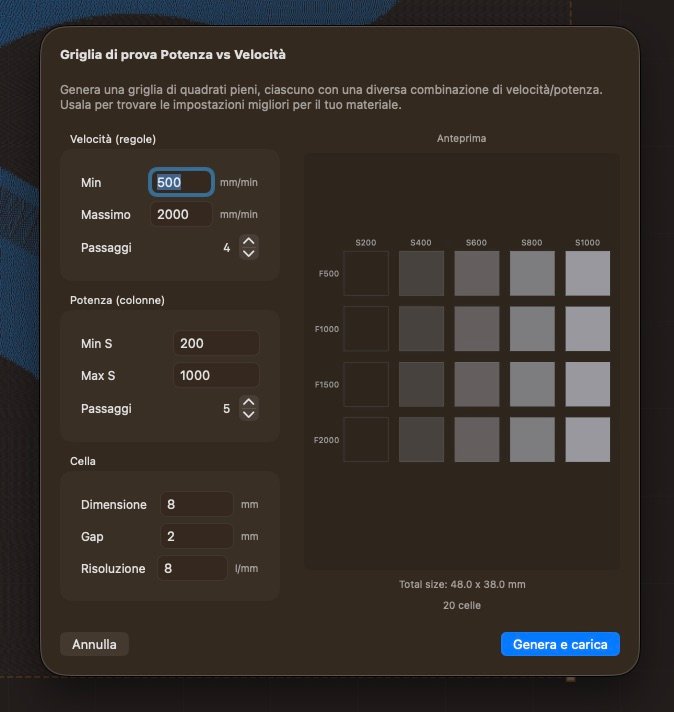
Generate calibration grids to find the perfect settings for any material. Configurable speed range, power range, cell size, and resolution.
Flexible Work Origin
Use machine homing or set a custom origin anywhere. Custom origin is WYSIWYG — jog to position, set zero, and whatever you place on the canvas engraves exactly there. It's even saved with your project.
Laser Pointer
Toggle a low-power laser dot to preview exactly where your engrave will land. Frame mode traces the full job boundary with the laser.
Editable Project Files
Lùmen's .gcode v2 format embeds every shape, text, and style as JSON. Reopen a project and find every item still editable — no flattening to curves or pixels. Still readable by any generic G-code sender.
Resume from Position
Stopped mid-job? Resume from the exact line where you left off. No need to start over.
Full GRBL Control
Serial console, real-time status, feed & speed overrides, jog controls, alarm management — everything you need, nothing you don't.
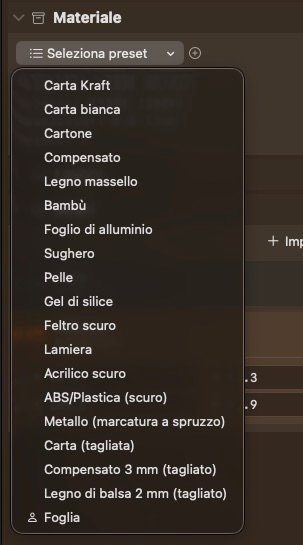
18 Material Presets
Ready-to-use presets for wood, leather, paper, cardboard, cork, acrylic, aluminum foil, and more. Create and save your own custom presets for any material.
Auto Updates
Lùmen checks for updates automatically and lets you know when a new version is available. Always stay up to date.
See it in action
A quick walkthrough of Lùmen's features and workflow
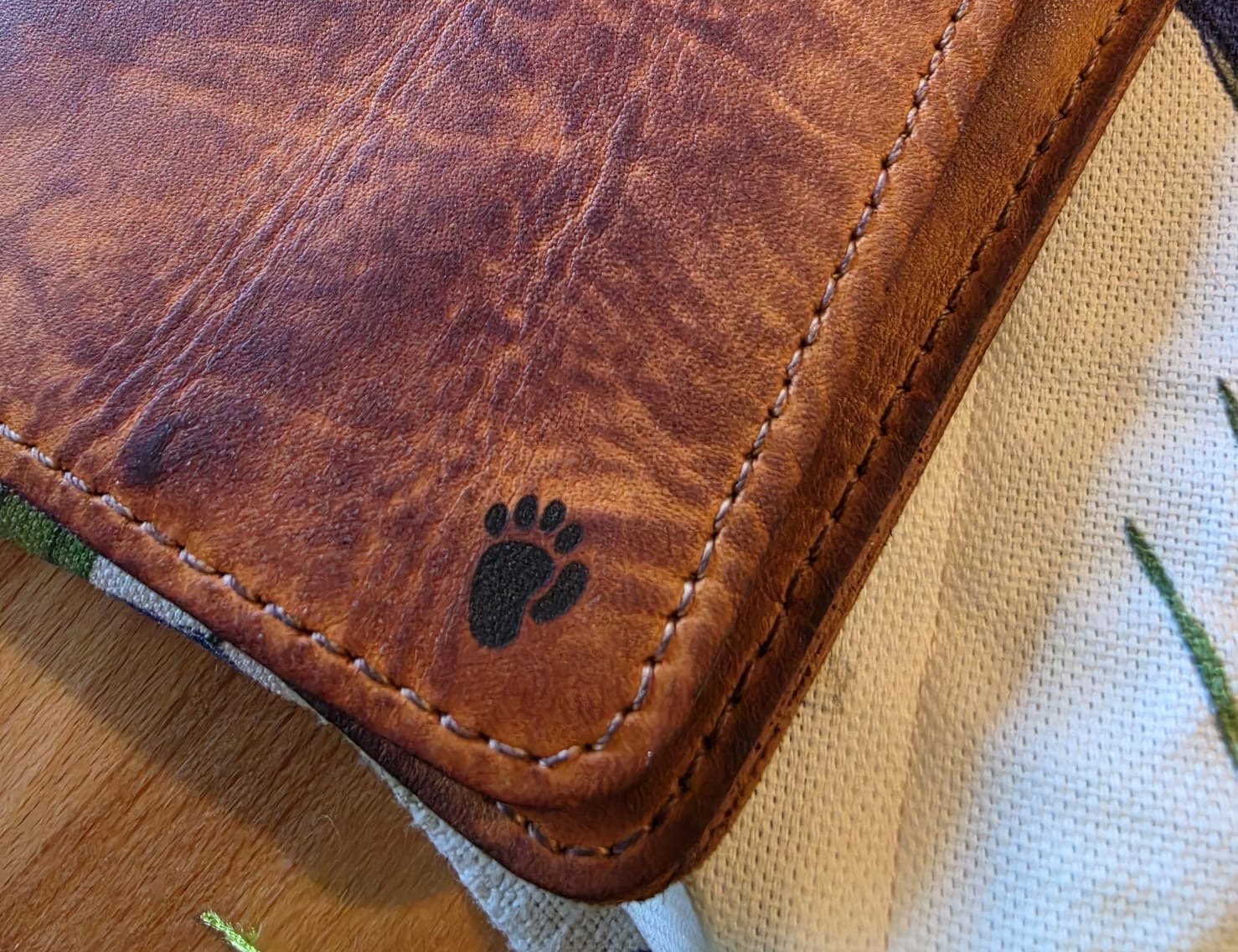
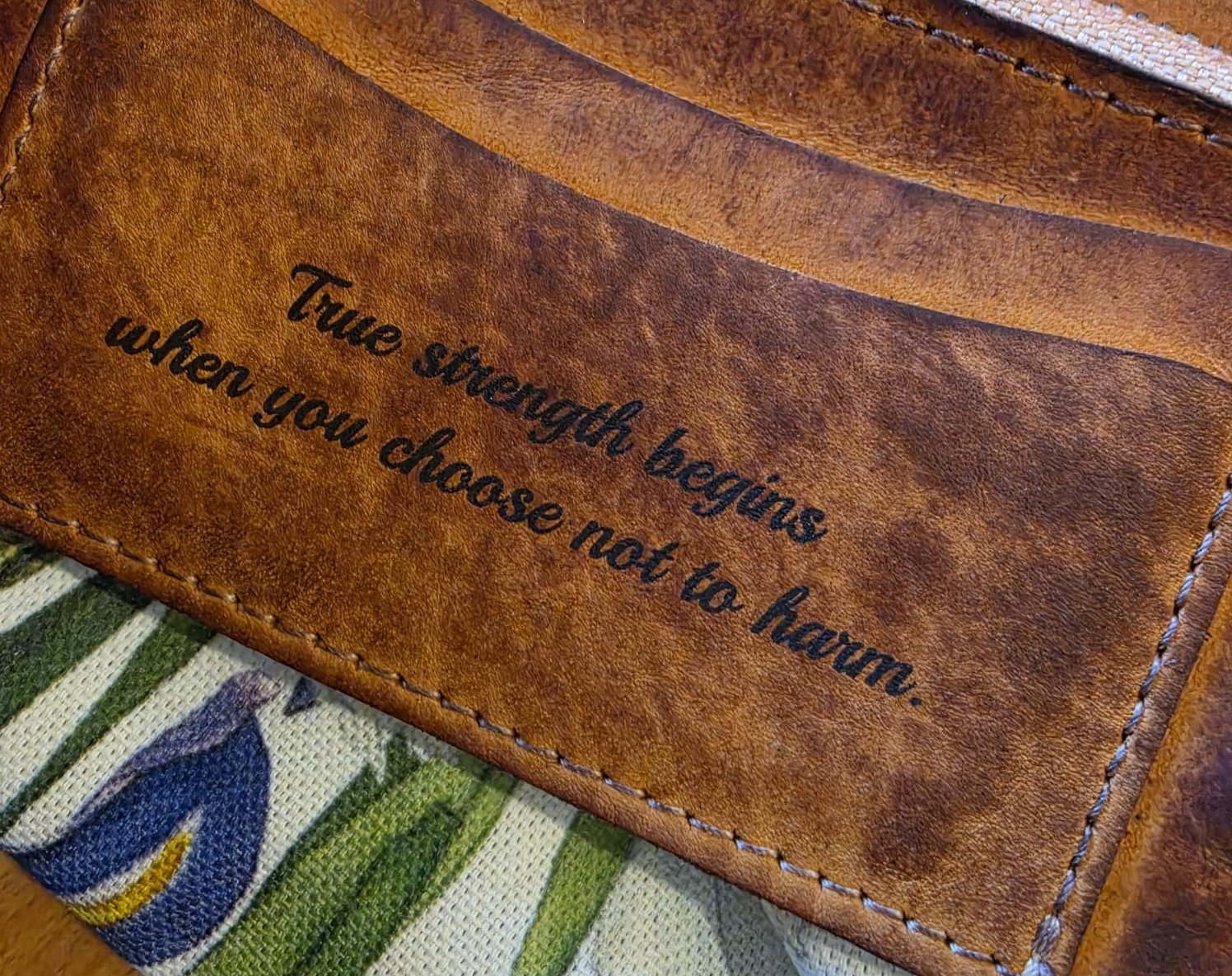
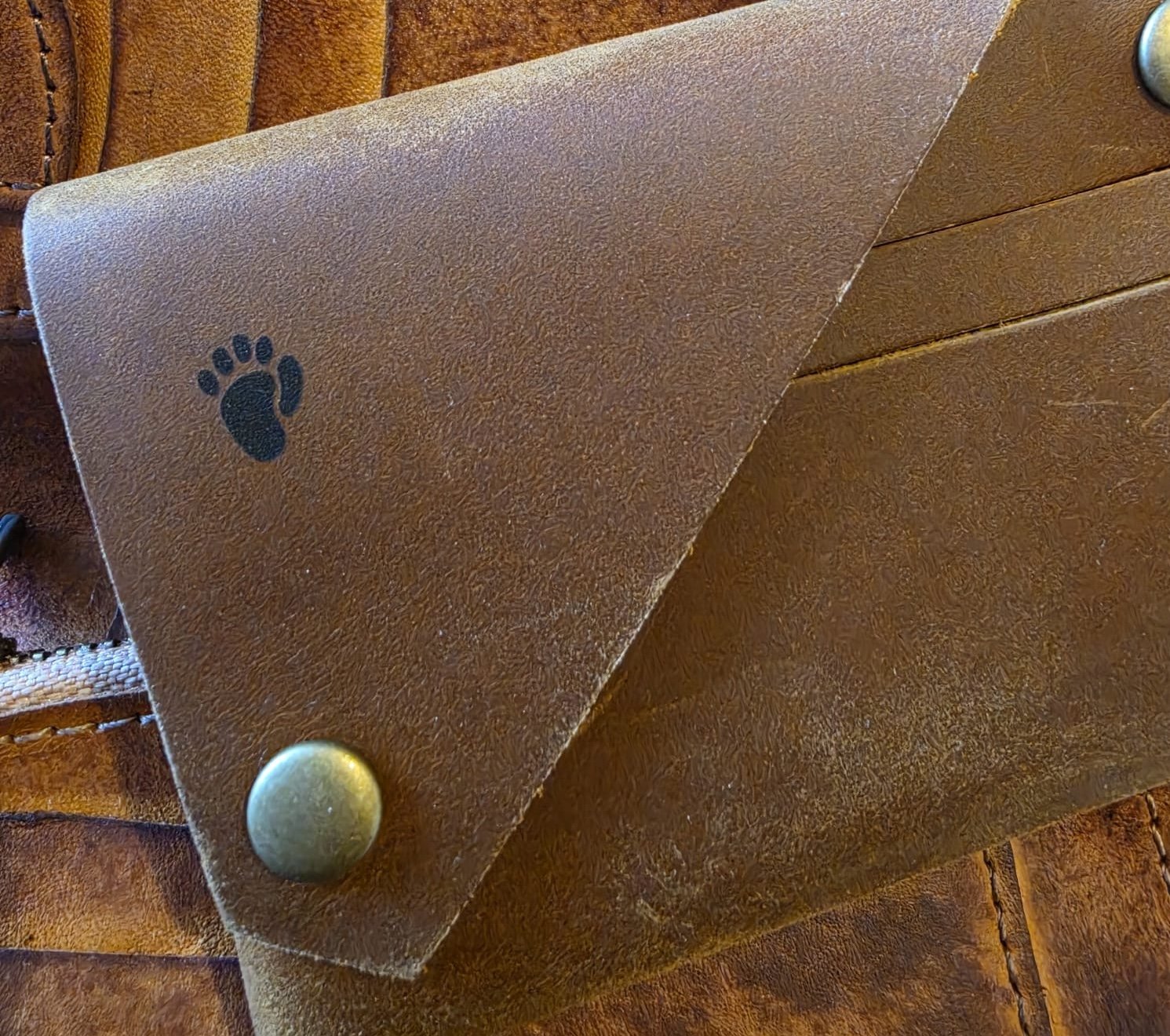
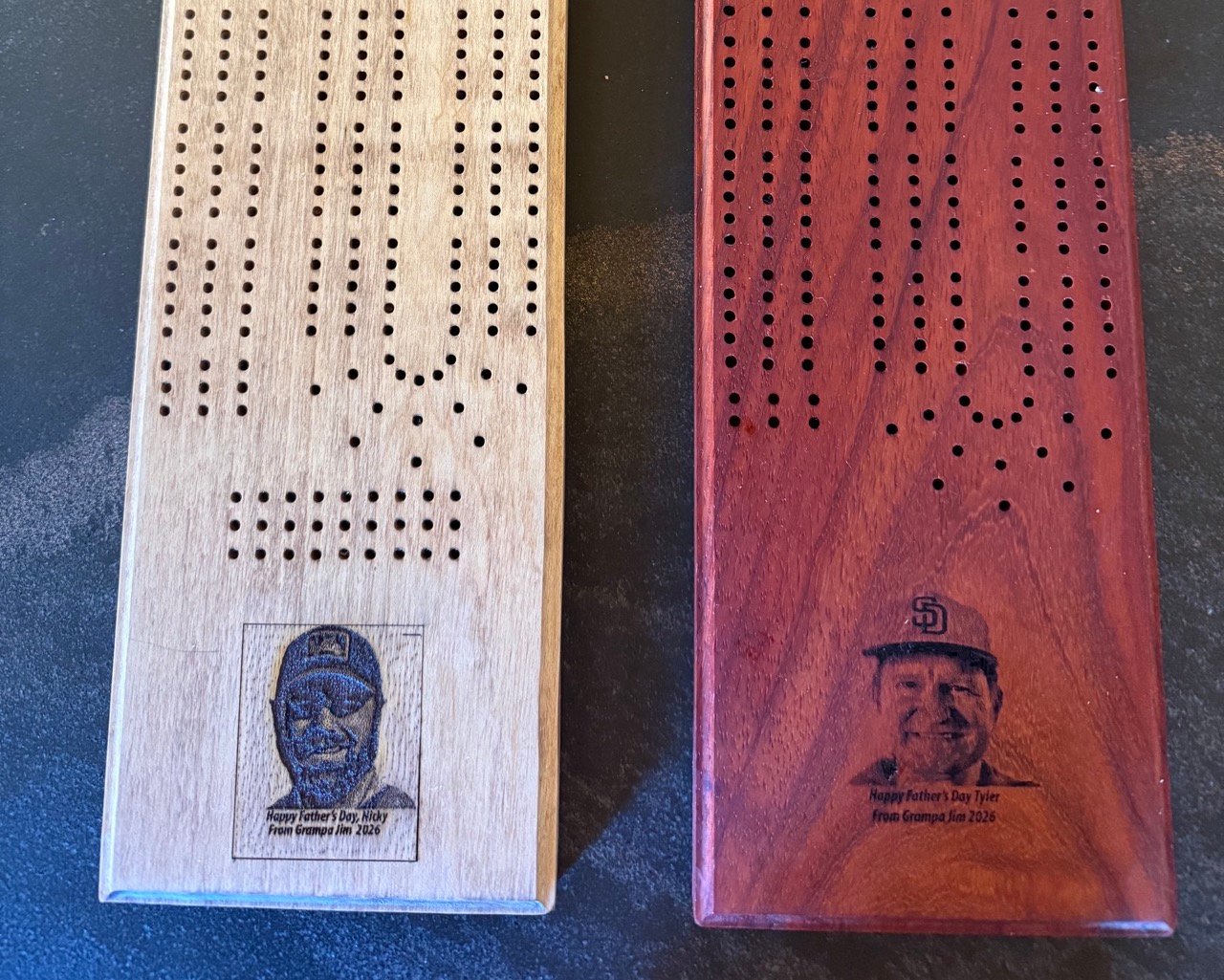
Real engravings from Lùmen
Photos engraved on leather and paper with a SCULPFUN C1 Mini using Lùmen's dithering and presets
Leather engraving · detailLeather engraving · textSimple Leather engraving · detailPaper · low power presetWood · high power preset
Works with your engraver
Compatible with all GRBL-based laser engravers over USB — or WiFi for network-capable controllers. Built-in presets for popular models.
SCULPFUN
S30 / S30 Pro
S10
S9
S6 / S6 Pro
C1 Mini
SF-A9
Ortur
Laser Master 3
Laser Master 2 Pro S2
Laser Master 2
Atomstack
A20 Pro
X20 Pro
S10 Pro
A5 Pro
TwoTrees
TS2
TTS-55
NEJE
3 Max
3 Pro
Master 2S Plus
Artilume
T1
FOKOOS
FE10
Custom
Any GRBL-based laser engraver with USB serial connection. Create and save your own machine presets.
Get Lùmen
3-day free trial. One-time purchase. No subscription.